How to Reset Portable Power Station BMS
Master the internal circuitry procedures required to clear fault states. Restore reliable operation to your high-capacity lithium generator system safely.

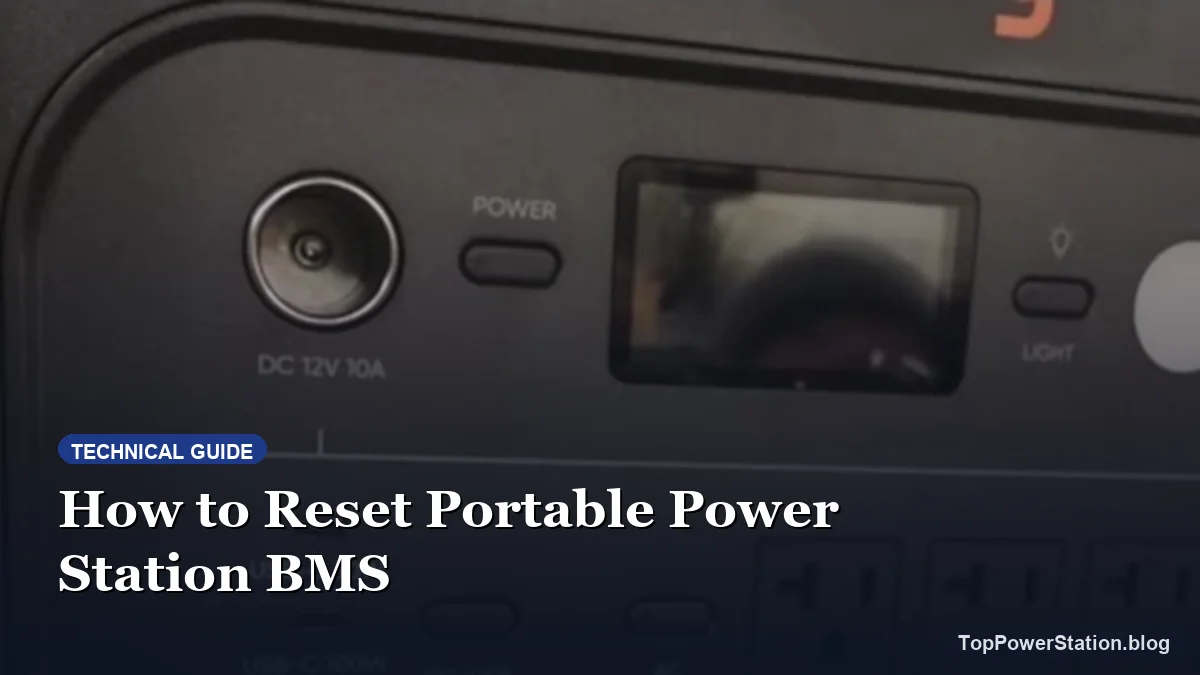
Always disconnect all external AC and DC loads before initiating any internal BMS reset sequence to prevent electrical arcing and component degradation.
Ready to compare models? Start with our Best Portable Power Station: Top Backup & Off-Grid Picks.
Practical Quick-Reference Table
| Scenario / Metric | Recommended Target | Why It Matters |
|---|---|---|
| Terminal Voltage Drift | < 0.5V variance | Prevents false protection triggers |
| Storage State of Charge | 40% to 60% | Minimizes internal cell degradation |
| Hard Reset Duration | 10 to 15 minutes | Drains capacitive residual energy |
| Calibration Cycle | 1 full charge/discharge | Synchronizes coulomb counter accuracy |
| Operating Temperature | 20°C to 25°C | Protects sensitive lithium chemistry |
| Fastener Torque Rating | Manufacturer spec | Eliminates high-resistance thermal risks |
Understanding Battery Management System Architecture and Protection Modes
The battery management system acts as the central electronic brain of any lithium generator. It constantly monitors cell voltage limits, internal temperature thresholds, and overall discharge current rates.
When parameters exceed safety thresholds, the microprocessor triggers a protective lock. This hardware shutdown prevents thermal runaway, permanent cell degradation, and potential fire hazards during high-demand operation.
Knowing how these protective layers interact helps technicians diagnose false fault codes. Always verify expected load thresholds using our runtime wh calculator before running heavy devices.
Internal shunts measure exact current flow while balancing circuits equalize individual cell voltages. If drift becomes excessive, the firmware halts operations to protect the overall pack integrity.
- Monitors individual cell group voltages continuously
- Triggers protective shutdowns during thermal excursions
- Isolates inverter stages from internal battery packs
- Tracks lifetime cycle counts and capacity degradation
Diagnostic Indicators of System Lockouts
Blinking error codes on the LCD screen typically signify specific protection triggers. Technicians should consult the technical manual to interpret hexadecimal fault identifiers correctly.
Silence from cooling fans combined with zero output power usually confirms a tripped master relay. The internal logic has successfully isolated the inverter stage from the cells.
- Look for flashing warning icons on the display
- Verify complete absence of AC and DC output
Identifying When a Hard Reset or Soft Calibration Is Required
Differentiating between a temporary software glitch and permanent hardware damage remains critical. Soft resets clear minor register errors, while hard resets discharge residual capacitive energy completely.
If your unit displays zero percent state of charge despite recent charging, calibration is necessary. The BMS internal coulomb counter has likely lost synchronization with true pack capacity.
Over-temperature flags that persist in cold ambient environments indicate sensor calibration failure. Resetting the baseline parameters restores accurate thermal tracking across all internal sensor arrays.
Intermittent DC output shutdowns under low loads often point to misconfigured threshold limits. Reinitializing the firmware registers brings the operational parameters back to factory specifications.
- Recognize symptoms of coulomb counter desynchronization
- Distinguish software faults from failing cell hardware
- Evaluate environmental sensor error persistence
- Address sudden power cutoff behaviors systematically
Evaluating Voltage Discrepancies
Use a calibrated digital multimeter to measure terminal voltage directly at the battery pack. Compare this reading against the digital display readout to identify severe synchronization drift.
A mismatch exceeding two volts demands a full cyclical calibration procedure. Ignoring this variance leads to unexpected power cutoffs during critical high-draw appliance operations.
- Measure direct DC voltage across main terminals
- Cross-reference multimeters with front display readouts
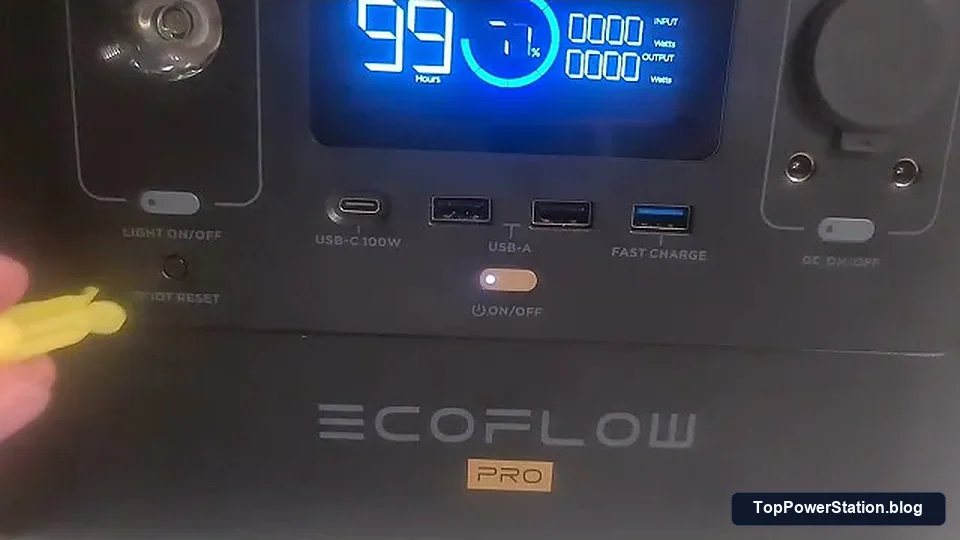
Video Walkthrough: How to reset BMS EcoFlow Delta 2
Step-by-Step Procedure for Executing a Safe Electrical Reset
Begin by powering off the generator completely and removing all charging cables. Safety gear, including insulated gloves and eye protection, should be worn during internal maintenance procedures.
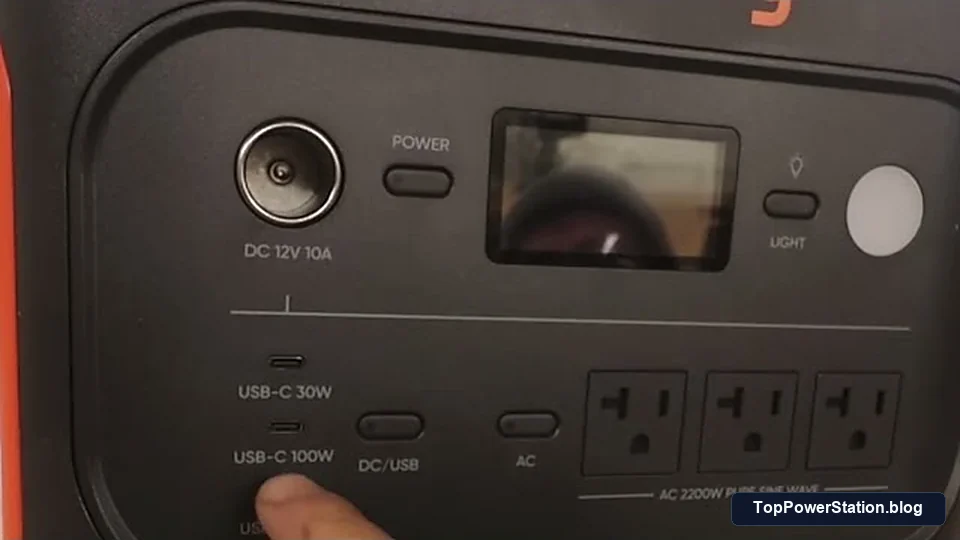
Locate the master power button and hold it down continuously for fifteen seconds. This action drains residual voltage from the internal logic boards and clears temporary registers.
For stubborn lockouts, disconnect the internal balance leads and main battery terminals carefully. Allow the circuitry to sit unpowered for at least ten minutes to achieve complete discharge.
Reconnect the negative terminal first, followed by the positive cable and balance connectors. Secure all fasteners to the manufacturer-specified torque rating to prevent high-resistance electrical connections.
- Power down all inverter and charging circuits
- Hold master power buttons to drain capacitance
- Disconnect battery terminals for ten minutes
- Reattach negative cables prior to positive connections
Mitigating Static Discharge Risks
Always ground yourself using a proper wrist strap before touching sensitive circuit boards. Electrostatic discharge can instantly fry delicate microprocessors responsible for BMS communication protocols.
Work on a non-conductive workbench mat to eliminate accidental shorts between tools and exposed terminals. Clean the workspace thoroughly to remove any conductive metal debris or dust.
- Wear an anti-static grounding wrist strap
- Use certified insulated hand tools exclusively
Calibrating State of Charge Percentages After Internal Fault Clearing
Once the reset sequence finishes, the lithium-ion cells require a full charge cycle. Plug the power station into a stable wall outlet, especially if you plan to use it for a top camping power station.
Allow the unit to reach one hundred percent capacity without pulling any active loads. This lets the internal algorithm map the maximum voltage ceiling accurately once again.
Next, discharge the power station completely by running a steady, moderate load until shutdown. This establishes the true lower voltage boundary for the updated coulomb counting software.
Completing this deep calibration cycle ensures that future battery percentage readouts remain precise. Reliable metrics prevent premature equipment shutdown during emergency backup power deployments in the field.
- Execute an uninterrupted one hundred percent charge
- Run steady moderate loads until automatic shutdown
- Map upper and lower voltage ceiling boundaries
- Restore accurate percentage tracking algorithms
Monitoring Cell Balancing During Recharge
Observe the individual cell group voltages via diagnostic software if available during recharge. Healthy packs should show minimal voltage deviation across all series string configurations.
Excessive divergence indicates a weak cell group requiring professional evaluation or replacement. Never force high-rate charging into an unbalanced pack showing severe internal resistance variations.
- Check series string voltage uniformity
- Watch for abnormal cell group divergence
Firmware Flashing, Diagnostics, and Advanced Diagnostic Interfaces

Advanced maintenance may require connecting a specialized USB or serial interface cable. Manufacturers often provide proprietary diagnostic software tools to update outdated firmware versions and fix bugs.
Ensure your computer maintains an uninterrupted power supply during any firmware flashing operation. Losing connection mid-flash can brick the control board and render the entire generator useless.
Review real-time telemetry data to verify that all temperature sensors report accurate values. Check for any stored historical error logs that might indicate recurring systemic hardware anomalies.
Save a backup configuration file before modifying any raw registers or calibration parameters. Having a known good baseline profile allows for quick recovery if new settings cause instability.
- Connect via approved serial or USB interfaces
- Maintain uninterrupted power during firmware updates
- Inspect historical error logs for recurring faults
- Backup original configuration files before editing
Utilizing Terminal Command Prompts
Some engineering software utilizes text-based command prompts for deep system resets. Entering specific hexadecimal strings can force clear persistent error flags stored in non-volatile memory chips.
Exercise extreme caution when executing direct register writes to avoid disabling safety protections. Only use documented command syntax provided by certified technicians or official engineering documentation files.
- Enter designated hexadecimal reset strings
- Follow strict engineering command protocols
Video Walkthrough: Why you should reset your Jackery
Preventive Maintenance Protocols to Avoid Future Protective Lockouts
Regular upkeep significantly reduces unexpected battery management system lockouts. Keeping your firmware updated ensures optimal performance when you choose a reliable unit from our best portable power station guide.
Avoid exposing the unit to high humidity levels or excessive dust accumulation over time. Clean ventilation ports regularly using compressed air to maintain optimal airflow across internal heat sinks.
Perform a partial discharge cycle every three months if the equipment sits in storage. This prevents chemical passivation and maintains active communication channels between the cells and inverter.
Inspect external Anderson and AC ports for signs of wear, oxidation, or thermal stress. Replacing damaged connectors prevents voltage drops that can trick the BMS into false trips.
- Keep device firmware updated regularly
- Clean intake and exhaust vents periodically
- Perform routine quarterly storage cycling
- Inspect external ports for oxidation wear
Optimal Storage State of Charge
Store lithium power stations at approximately fifty percent charge capacity for long periods. This chemical sweet spot minimizes internal degradation and preserves overall cycle life effectively.
Avoid leaving units plugged into wall outlets indefinitely while stored in warm utility rooms. Continuous float charging accelerates electrolyte breakdown and degrades overall lithium cell performance prematurely.
- Maintain fifty percent charge during storage
- Unplug units from wall chargers when idle
Comprehensive Post-Reset Testing and Load Verification Protocols
Final verification ensures your portable power station operates safely under real-world conditions. Connect a small test appliance, such as an LED lamp, before selecting a model from our best home backup power stations.
Gradually scale up the connected electrical load to medium and heavy operating tiers. Monitor the digital display closely for any sudden voltage drops or unexpected cooling fan behaviors.
Check internal temperatures using an infrared thermometer near the exhaust ports during heavy draws. Surface temperatures should remain within safe operational limits specified by the original manufacturer guidelines.
Document the reset and testing results in your maintenance log for future reference. Proper record-keeping helps track equipment reliability and ensures long-term operational readiness for emergency situations.
- Begin testing with low-draw test appliances
- Scale electrical load gradually upward
- Monitor exhaust temperatures with infrared tools
- Record maintenance steps in equipment logs
Final Safety Audit Checklist
Verify that all casing screws, grommets, and protective rubber seals are firmly reinstalled. Ensuring enclosure integrity prevents moisture ingress and accidental electrical shorts during outdoor deployment.
Confirm that all warning labels and serial number tags remain clearly visible and legible. Final sign-off confirms the unit is fully restored to safe, reliable operational status.
- Reinstall all enclosure screws and seals
- Verify warning label visibility and status
Frequently Asked Questions
Can I reset my power station by disconnecting the internal battery?
Yes, physically disconnecting the internal battery pack for ten minutes clears persistent error states from non-volatile memory. Always wear insulated safety gear and ensure all external loads are fully removed before opening the enclosure.
Why does my power station display zero percent after a reset?
A zero percent readout usually indicates that the coulomb counter has lost synchronization with the actual pack voltage. You must perform a complete charge and discharge calibration cycle to restore accurate percentage tracking.
Is it safe to use third-party software for BMS firmware resets?
Using unofficial third-party software risks bricking your control board and voiding any remaining hardware warranty protections. Always rely strictly on official manufacturer diagnostic tools and documented engineering command procedures.
How often should I calibrate my portable power station battery?
Calibrating your battery management system every three to six months prevents severe state of charge drift. Regular maintenance ensures reliable runtime estimations during emergency power outages and outdoor excursions.
What causes a battery management system to lock out permanently?
Severe cell undervoltage, extreme internal temperatures, or hardware shorts typically trigger permanent safety lockouts. These protective measures prevent catastrophic thermal runaway and protect users from potential electrical hazards.