How to Maintain LiFePO4 Battery in Portable Power Station
Master essential maintenance techniques for lithium iron phosphate batteries. Extend operational lifespan through proper cycling and environmental management.


Keep your LiFePO4 battery healthy by avoiding extreme temperatures and storing it at fifty percent state of charge during long inactive periods to preserve internal chemistry.
Ready to compare models? Start with our Best Portable Power Station: Top Backup & Off-Grid Picks.
Practical Quick-Reference Table
| Scenario / Metric | Recommended Target | Why It Matters |
|---|---|---|
| Storage Charge Level | 40% to 60% | Minimizes chemical degradation over extended inactive storage periods. |
| Operating Temperature | 14°F to 113°F | Prevents irreversible lithium plating and thermal shutdown triggers. |
| Charging Temperature | 32°F to 113°F | Avoids permanent cell damage during high-amperage power restoration. |
| Depth of Discharge | 15% to 85% | Extends overall cycle life by avoiding extreme stress limits. |
| Calibration Frequency | Every 3 Months | Ensures accurate digital fuel gauge readings and reliable performance. |
| Terminal Cleaning | Bimonthly Check | Prevents resistance buildup and dangerous high-temperature hotspots. |
Understanding Lithium Iron Phosphate Chemistry Fundamentals
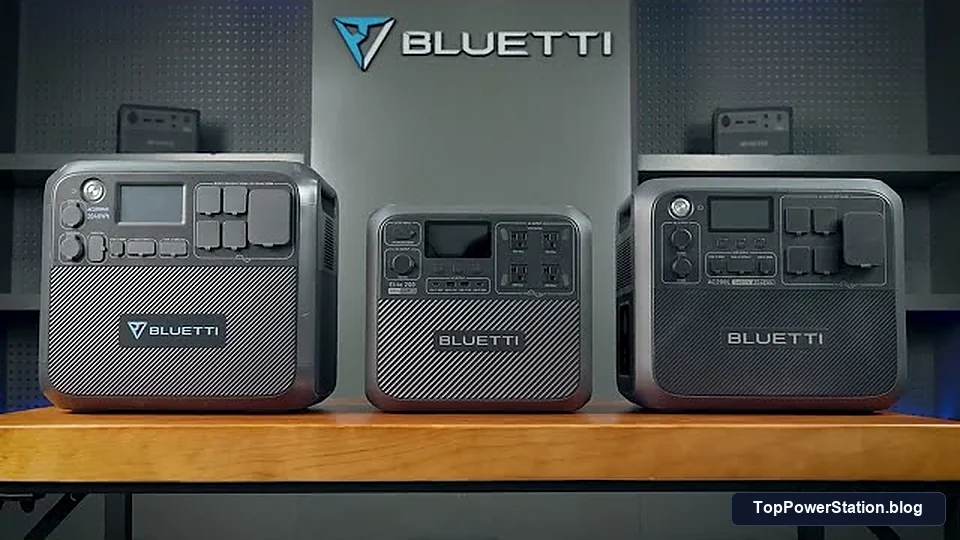
Lithium iron phosphate chemistry offers exceptional thermal stability and high cycle counts compared to older chemistry types. Modern portable units leverage these robust cells for enhanced safety profiles during heavy auxiliary loads.
Internal cell structures resist degradation remarkably well under standard operating conditions. However, ignoring manufacturer guidelines regarding maximum voltage thresholds can still induce premature chemical wear across individual cell groups over time.
Knowing your device specifications helps prevent accidental over-discharge scenarios that trigger internal protective cutoffs. Reviewing user manuals ensures you understand the exact continuous output ratings and peak surge tolerances of your specific inverter.
Chemical resilience does not equate to total indestructibility under abusive operating conditions. Using a watt-hour runtime calculator tool ensures your generator delivers reliable auxiliary power over thousands of charge cycles.
Lithium iron phosphate cells rely on an olivine crystal structure that provides exceptional thermal stability. During high-drain usage, monitor internal resistance to prevent premature voltage sag and capacity fade.
- Inspect housing integrity regularly for cracks or stress signs.
- Verify continuous output wattage ratings before connecting heavy appliances.
- Understand internal BMS cutoff limits to prevent sudden power loss.
- Keep technical manuals accessible for quick troubleshooting reference.
Chemical Stability Factors
Advanced BMS architectures constantly monitor individual cell voltages to prevent runaway thermal conditions. This hardware layer acts as your primary defense against catastrophic electrical component failure.
Understanding these protective mechanisms allows operators to push equipment safely within specified design limits. Always respect warning indicators displayed on your screen to protect internal power pathways.
- Monitor cell voltage variance via companion applications if available.
- Never bypass internal hardware fuses or firmware safety restrictions.
Cell Voltage Thresholds
Nominal voltage sits at 3.2V per cell, rising to 3.65V at full charge. Operating outside these strict electrochemical limits accelerates internal degradation and permanently reduces total cycle life.
Optimal State of Charge and Daily Cycling Habits
Maintaining an optimal state of charge prevents excessive stress on internal cathode structures. Daily usage patterns should ideally keep operational energy levels between twenty and eighty percent for maximum longevity.
Constantly keeping units plugged into wall outlets at maximum capacity accelerates internal resistance buildup. Allowing the generator to cycle naturally preserves chemical integrity and reduces unnecessary strain on internal power components.
Avoid letting your power station drop completely to zero percent during routine use. When upgrading to a reliable home power backup solution, proper maintenance ensures longevity and prevents unexpected system lockouts.
Establishing a consistent charging routine prevents unexpected power failures during emergency grid outages. Monitor the built-in digital display closely to verify that incoming amperage matches manufacturer technical specifications.
Maintaining a state of charge between 20% and 80% significantly reduces chemical stress. Avoid leaving your portable power station at 100% capacity for extended periods to prevent anode degradation.
- Avoid keeping units at maximum charge for extended periods.
- Recharge generators promptly after heavy outdoor or jobsite usage.
- Prevent complete zero-percent shutdowns during normal daily operations.
- Use smart timers to limit continuous wall-outlet charging hours.
Partial State Cycling
Implementing shallow daily cycles rather than full depth-of-discharge events will easily double your usable operational lifespan. Always recharge units before dropping below critical voltage cutoffs.
Video Walkthrough: LiFePO4 Longevity Discussion! Why Charge to 100%?! For Solar??
Temperature Management During Storage and Operation
Temperature extremes represent the primary enemy of reliable lithium battery longevity. Operating units outside recommended thermal envelopes compromises chemical reactions and permanently reduces overall energy storage capacity.
Cold weather charging presents unique risks because low temperatures inhibit proper lithium-ion intercalation. Always warm units to room temperature before connecting high-draw chargers to prevent irreversible lithium plating damage.
High ambient temperatures during heavy inverter usage can trigger emergency thermal shutdowns. Position power stations in well-ventilated, shaded areas away from direct sunlight to maintain safe operating thermal thresholds.
Long-term storage environments require climate-controlled spaces where humidity levels remain strictly controlled. Storing units in damp garages accelerates terminal corrosion and degrades internal circuit board components over extended calendar periods.
Ambient temperatures severely impact electrochemical reaction rates. Never charge LiFePO4 batteries below freezing thresholds without active thermal blankets, as lithium plating can permanently destroy internal cell separators.
- Keep generators away from direct sunlight during heavy usage.
- Warm cold batteries gradually before initiating high-wattage charging.
- Store equipment in dry, climate-controlled indoor environments.
- Maintain adequate clearance around cooling fans during operation.
Optimal Operating Ranges
Keep operational temperatures between 14°F and 113°F for safe discharging. High heat environments above 130°F accelerate electrolyte decomposition and trigger permanent thermal runaway protection.
Battery Management System Calibration Procedures
The internal battery management system acts as the central brain protecting your hardware. Periodic calibration cycles ensure the digital display accurately reflects the true remaining energy percentage during heavy loads.
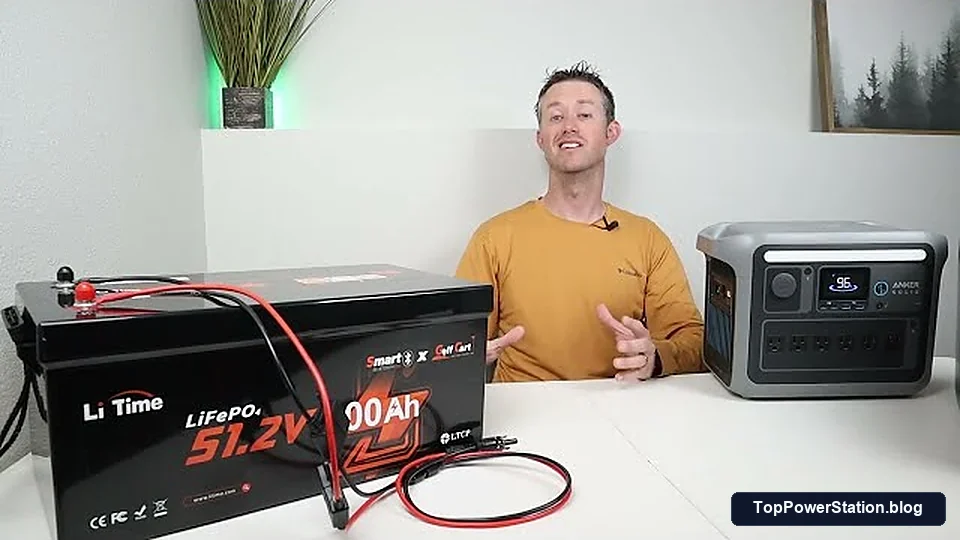
Recalibrate your power station every few months by performing a complete controlled discharge. If your hardware lacks modular servicing, checking out options like a replaceable battery power station extends long-term operational life significantly.
This calibration process resets the internal state-of-charge algorithm, preventing sudden drops in reported battery capacity. Skipping this step often results in units powering off unexpectedly while displaying erroneous fuel gauge readings.
Always use the manufacturer-approved AC wall charger during calibration cycles to ensure correct voltage delivery. After reaching full capacity, leave the unit plugged in briefly to allow passive cell balancing.
The internal battery management system requires periodic calibration to report accurate state-of-charge metrics. Perform a full 100% to 0% calibration cycle every six months to reset digital fuel gauges.
- Perform full discharge and recharge cycles quarterly.
- Ensure uninterrupted power delivery during the calibration recharge phase.
- Disconnect load appliances once the shutdown threshold is reached.
- Check digital display accuracy following each completed calibration cycle.
Resetting Fault States
If your unit trips an undervoltage protection flag, connect a regulated low-amp charger to safely wake the dormant BMS circuits without triggering hardware safety fuses.
Diagnostics and Long-Term Degradation Prevention
Routine diagnostic checks help identify early signs of internal resistance increases or cell imbalance. Listening for unusual cooling fan noises or noticing excessive chassis heat reveals hidden operational faults.
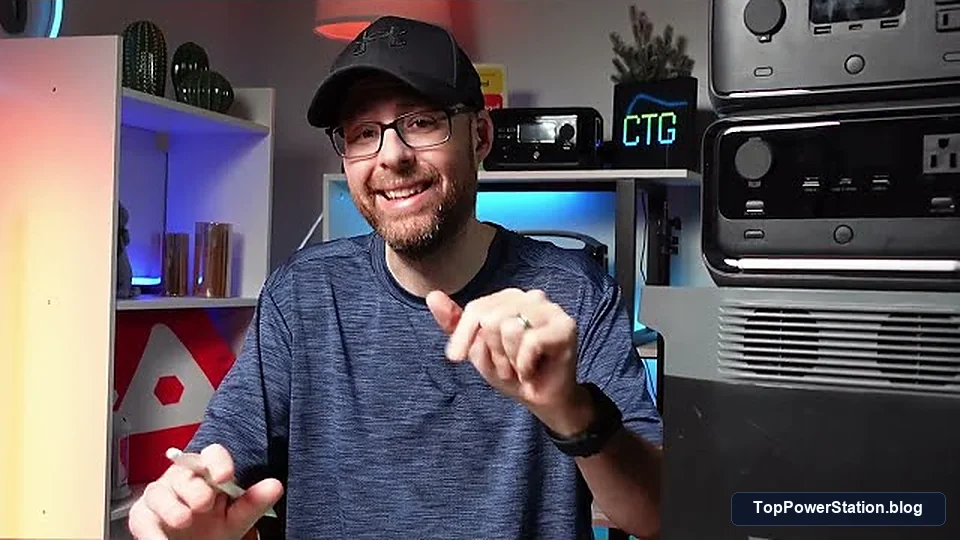
Monitor input and output wattages using the digital interface to detect efficiency drops. A widening gap between expected and actual performance indicates that internal components require immediate professional technical inspection.
Preventative firmware updates released by manufacturers often improve charging algorithms and thermal protection parameters. Regularly check official support portals to ensure your hardware runs the latest system software versions.
Documenting your maintenance history helps track gradual capacity loss over years of field deployment. Keeping meticulous records allows you to anticipate when replacement cycles will become necessary for operations.
Track internal resistance metrics using diagnostic software interfaces to spot failing cell groups early. Rising resistance values indicate electrolyte dry-out or severe plate sulfation requiring professional remediation.
- Log input and output wattages periodically to spot anomalies.
- Update device firmware when official releases become available.
- Inspect cooling fans for dust obstruction and bearing wear.
- Track total usage hours to estimate remaining battery lifecycle.
Capacity Testing Protocols
Execute a controlled discharge test annually using a calibrated resistive load. Measure total amp-hours delivered against initial factory specs to calculate exact degradation percentages and remaining life.
Preventative Cleaning and Terminal Maintenance
Dust and debris accumulation around cooling vents restricts airflow and elevates internal operating temperatures. Clean exterior surfaces regularly using a dry microfiber cloth to prevent particulate buildup on vents.
Inspect DC and AC ports periodically for signs of oxidation, foreign objects, or physical wear. Maintaining clean metal contacts ensures minimal electrical resistance and prevents dangerous localized high-temperature hotspots.
Never use harsh chemical solvents or liquid cleaners directly on the plastic generator housing. A slightly damp cloth with mild soap is sufficient for removing stubborn dirt from outer chassis panels.
Secure all port protective rubber covers when not in use to block moisture ingress. Environmental protection significantly prolongs the lifespan of internal electronic circuits exposed to challenging outdoor field conditions.
Inspect metal contact points regularly for oxidation, dust accumulation, and environmental corrosion. Clean brass terminals using anhydrous isopropyl alcohol and a non-conductive nylon brush to maintain low electrical resistance.
- Wipe exterior housings with a dry, anti-static microfiber cloth.
- Keep rubber port covers sealed tightly during dusty conditions.
- Check metal terminals for signs of corrosion or pitting.
- Avoid spraying cleaning liquids directly onto electrical sockets.
Torque Specifications
Verify that all internal wiring harnesses maintain factory-specified torque settings to prevent high-resistance arcing. Loose connections generate localized heat that damages surrounding plastic housings.
Safe Recycling and End-of-Life Protocols
Eventually, all rechargeable chemistry reaches an end-of-life state characterized by rapid capacity loss. When maximum capacity drops below eighty percent, consider transitioning the unit to less demanding backup roles.
Never dispose of lithium iron phosphate units in ordinary municipal household waste receptacles. Damaged or spent batteries pose severe fire hazards if crushed improperly in standard waste management facilities.
Locate certified local electronics recycling centers that specialize in handling commercial hazardous waste. Proper recycling recovers valuable metals like lithium, iron, and copper while protecting local municipal ecosystems.
Insulate all external metal terminals with heavy electrical tape prior to transport for recycling. Safety precautions prevent accidental short circuits during handling by waste management facility processing technicians.
When a power station finally reaches 70% original capacity, decommission it safely through certified electronics recyclers. Understanding differences highlighted in our battery chemistry comparison guide helps you avoid severe fire hazards.
- Repurpose degraded units for low-drain stationary backup tasks.
- Never discard lithium cells into standard household trash bins.
- Transport units to certified electronics recycling collection points.
- Cover exposed metal terminals with heavy tape before disposal.
Terminal Isolation
Cover all exposed metal ports with heavy-duty electrical tape prior to transport. This prevents accidental short circuits during handling and satisfies strict hazardous materials transit regulations.
Frequently Asked Questions
How often should I charge my LiFePO4 power station when not in use?
You should check and recharge your stored unit every three to six months. Maintaining a fifty percent charge level prevents deep self-discharge damage during long storage periods.
Can I leave my portable power station plugged into AC power permanently?
Keeping the unit plugged in continuously accelerates internal component wear and chemical degradation. It is far better to unplug the generator once fully charged and cycle it every few weeks.
What causes a LiFePO4 battery management system to trigger a protective lockout?
Extreme over-discharge, short circuits, or severe temperature violations typically force the internal safety lockout. Resetting the unit usually requires connecting an approved charging source to awaken the control board.
Is it safe to charge my power station outdoors during winter weather?
Charging below freezing temperatures causes permanent lithium plating inside the cells. Always warm the unit inside a climate-controlled room until internal sensors read above freezing temperatures before connecting power.
How do I know when my portable power station has reached its end of life?
Significant runtime reductions and frequent thermal shutdowns indicate severe cell degradation. When total usable capacity falls below eighty percent, you should plan for safe recycling protocols.